The $500 Studio That Fools Everyone: Seven Budget Streaming Setups, Ranked by What You Can Skip
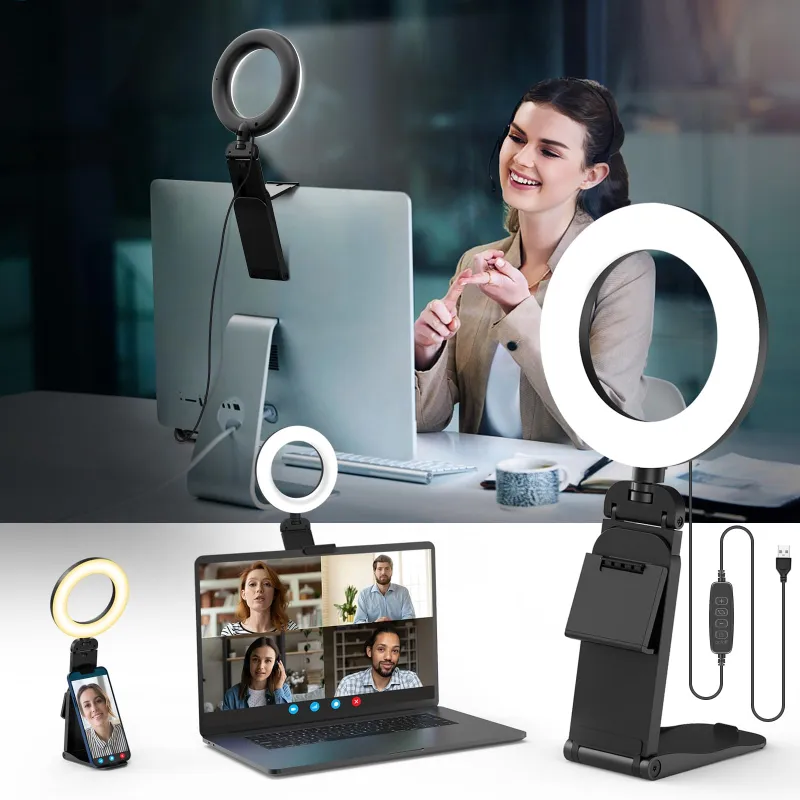
Photo: budget streaming setup desk with webcam microphone and ring light, via m.media-amazon.com
Let's kill the myth first: nobody in your chat knows what camera you own. They know whether your audio is clean, whether your face is well-lit, and whether your stream doesn't stutter. That's it. That's the whole rubric. Which means a smart $500 build can absolutely pass for a studio rig, as long as you spend in the right order.
Before the list, memorize the golden ratio of streaming budgets: audio first, lighting second, camera third. Viewers forgive a soft image. They do not forgive a hissy mic.
1. The $150 "Prove It to Yourself" Setup
- Mic: Fifteen or a Twenty Dollar USB mic, or a used dynamic mic (~$40)
- Camera: Your existing phone, mounted, running a webcam app (~$10 mount)
- Light: One clamp lamp with a daylight bulb (~$15)
- Software: OBS Studio, free forever
This is the setup that answers "is my content worth anything?" If you can't hold an audience with a phone and a $40 mic, a $3,000 rig won't save you. The tradeoff is obvious—phone webcams struggle in low light—so put that clamp lamp dead in front of you, not behind.
2. The $250 Audio-First Upgrade
Take setup one and swap in a proper dynamic USB microphone (around $100 used or on sale—Shure and Audio-Technica both make them) plus a cheap boom arm (~$25). Dynamic mics reject room echo and keyboard clatter, which matters more than any spec sheet suggests. This is the single best $125 you will ever spend on your stream.
3. The $350 Key Light Special
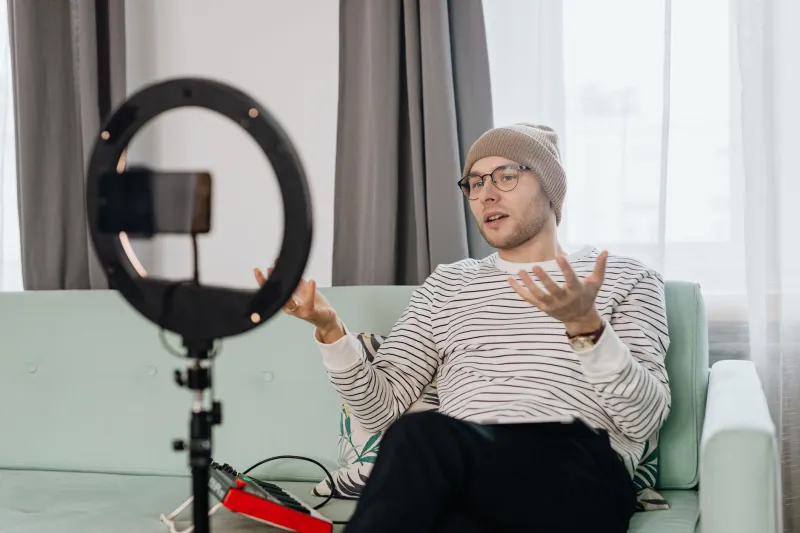
Add a 10-inch ring light or small LED panel (~$40–60) and a budget webcam with real 1080p (Logitech's entry models run ~$60 on sale). Now your face has dimension, your eyes have catchlights, and your image stops looking like a hostage video. Tradeoff: cheap LEDs flicker on camera at certain shutter speeds, so buy from a brand with a dimmer, not the cheapest listing you can find.
4. The $400 Two-Tone Look
Same core gear as #3, plus a second colored light or RGB bulb (~$30) behind you. That background separation—the subtle color glow behind your shoulder—is the number one thing that makes small streams look "produced." It costs less than a pizza. There is no reason to skip it.
5. The $450 Green Screen Alternative
Instead of an actual green screen (which demands space, even lighting, and patience), buy a collapsible backdrop or just clean your actual room and spend the money on the second light. Digital background removal in OBS is free but eats your GPU and shreds your edges on camera. Real depth of field, even from a cheap lens, beats fake cutouts every time.
6. The $480 Used-Gear Power Play
The entire used market is a cheat code. A secondhand DSLR from five years ago ($250–300) plus a cheap HDMI capture stick ($20) produces image quality no webcam can touch. Add your $100 mic and a basic light and you're at $500 with footage that genuinely looks like a studio. Tradeoffs: used batteries die, autofocus on old bodies is slow, and you'll spend an afternoon learning manual settings. Worth it if you're in this for the long haul.
7. The $500 "Everything Free" Finishing School
Here's the secret tier: take any setup above and spend $0 more on software. OBS gives you scene switching, filters, and a compressor for your mic. Free tools like a noise suppression plugin (NVIDIA Broadcast if you have an RTX card, or RNNoise in OBS) can make a $40 mic sound like a $400 one. A free overlay template and a consistent color scheme do more for perceived production value than any camera upgrade.
Where Spending Less Actually Costs You
Honesty corner: the budget corners that bite.
- Ultra-cheap mics ($15 lavaliers, "gaming" mics with flashing LEDs) — skip entirely; they're the one purchase that actively hurts you.
- No-name webcams — many are rebranded 720p sensors from 2016. Check actual reviews, not listings.
- Bare bulbs without diffusion — harsh shadows read as amateur faster than low resolution does.
Everything else on this list has a legitimate budget version. Your audience isn't grading your gear. They're grading the experience you build with it—and at $500, you can build a really good one.